Energy Retrofit Jobs Manager
The wider operations platform where AI capture tools connect with jobs, field dispatch, maps, WhatsApp updates and finance prep.

The AI Receipt Scanner is a browser-based capture app for receipt photos, PDFs and vehicle mileage images. It gives workers a simple upload screen while the backend extracts structured supplier, VAT, fuel, line-item, project-address and mileage data for review and export.
Small trade and service teams lose time retyping receipts, chasing staff for mileage photos and reconciling supplier spend after the fact. The app needed to accept fast phone uploads, handle construction and fuel receipts, keep records scoped to the current user session and export usable data without a heavy accounting system rollout.
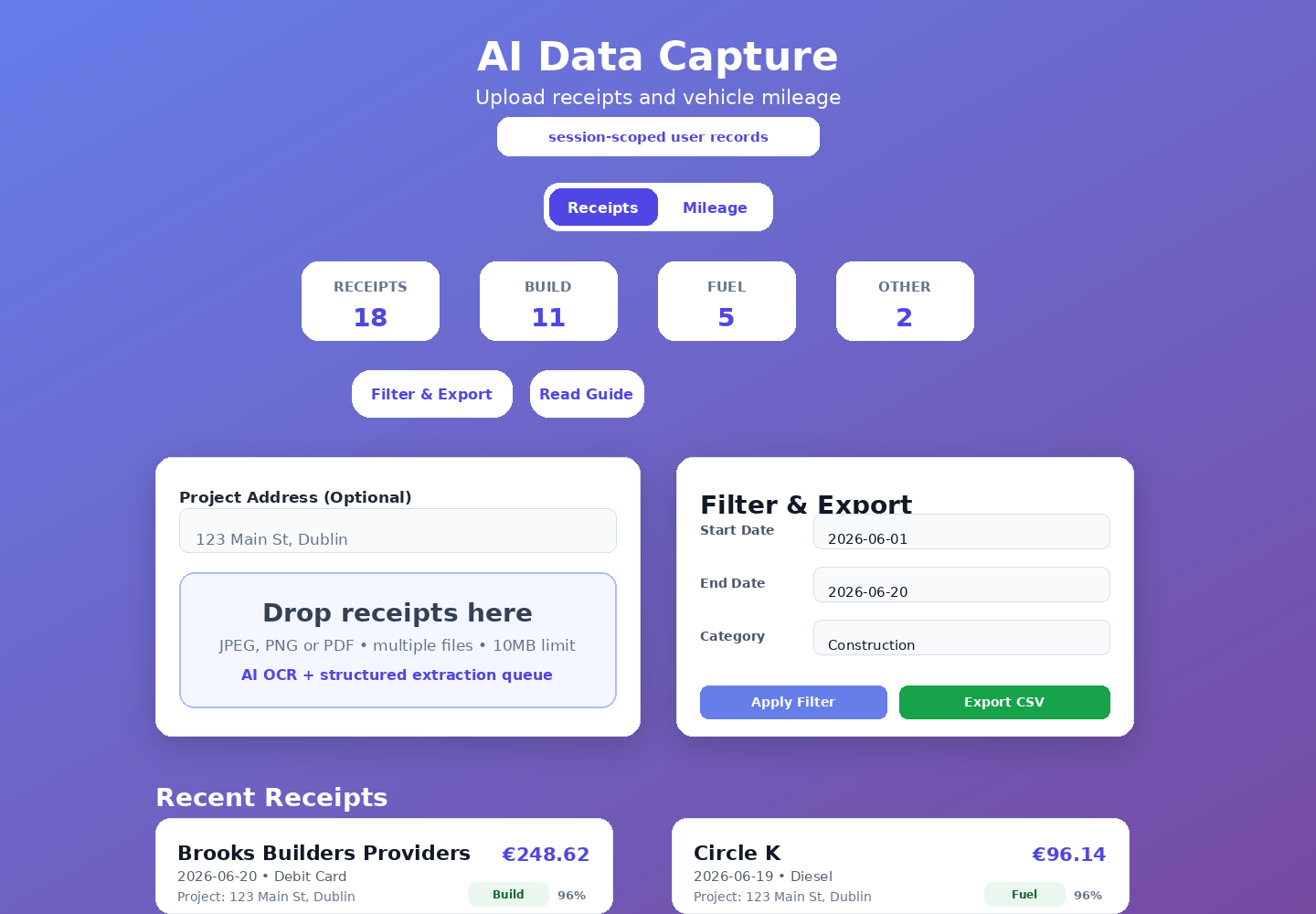
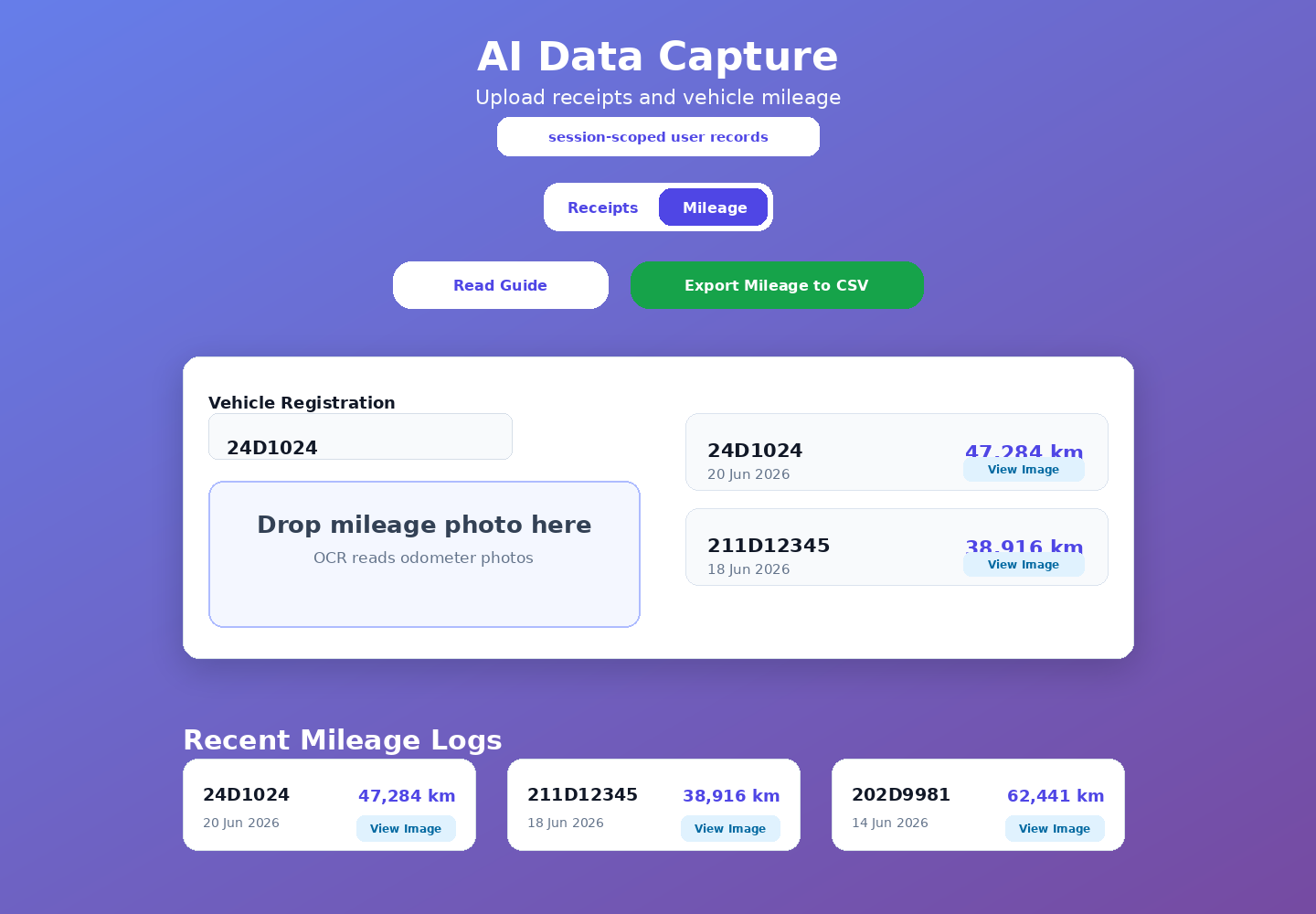
The live app provides separate receipt and mileage tabs. Receipt uploads support JPEG, PNG and PDF files with multi-file queue handling, MIME validation, 10MB limits and an optional project address override. Mileage capture validates the vehicle registration, accepts odometer photos and stores the extracted reading against the vehicle.
The receipt flow uses Google Document AI for OCR, then OpenAI extraction to return structured Irish construction and fuel receipt fields: merchant, date, totals, VAT, VAT rate, payment method, category, line items, fuel type, litres, price per litre, confidence score, project address and optional GPS coordinates from image metadata. It is a concrete example of an agentic admin workflow with extraction, validation and human review.
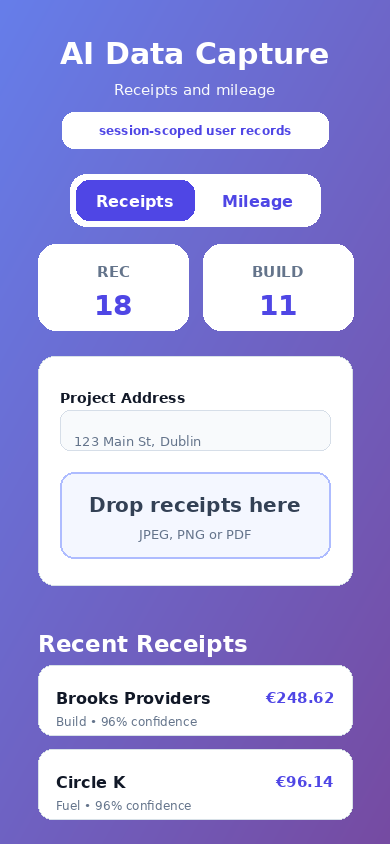
Recent receipt cards show merchant, amount, category, payment method, project address and confidence score. Users can view details, inspect the uploaded image, delete records, filter by date and category, view daily totals and export the filtered receipt data to CSV, including project and GPS columns.
Mileage capture has its own upload queue, vehicle registration input, odometer OCR, recent mileage log cards, image preview and CSV export. This lets a field team collect vehicle readings from phone photos without manually typing odometer values into a spreadsheet.
Records are written to private JSONL storage and scoped to the current browser session unless a real auth layer supplies a user email. Uploaded images are saved separately, while fetch and delete actions check ownership before returning or removing records.
The app turns receipt and odometer photos into structured operational data with a low-friction upload flow. It is suitable as a standalone tool or as a module inside a wider work-order, fleet, HRM or finance platform.
Small teams lose time retyping receipts, chasing mileage records and reconciling spend, so they needed fast phone uploads for construction receipts, fuel receipts and odometer images without a heavy accounting rollout.
The app provides separate receipt and mileage capture flows with file validation, multi-file queues, optional project address override, odometer validation, Document AI OCR, OpenAI extraction, human review, filtering, totals and CSV export.
Receipt photos, PDFs and odometer images become structured operational data that can run as a standalone tool or plug into the wider work-order, fleet, HRM and finance platform.
Explore additional work with similar focus areas and implementation approach.
The wider operations platform where AI capture tools connect with jobs, field dispatch, maps, WhatsApp updates and finance prep.
A related AI-assisted workflow for turning operational inputs into structured content outputs.
The accounting workflow integration that drafts, sends and monitors Xero invoices from tracker data.
The portfolio images are sanitized previews of the live browser app, showing the receipt upload, filter/export, mileage and mobile workflows without exposing real receipt records or uploaded images.
Next step
Send your website address and what you want more of — calls, bookings, or quote requests. I will review the contact path, mobile layout, local SEO basics and tracking before quoting any work.